Lumos: the Modern Webflow Framework for Scalable, High-Performance Sites
Who is this article for?
Webflow developers, freelancers, and studio owners who want to understand how Lumos works, when to use it instead of Client-First, and why more agencies are switching to it in 2025. Also useful for clients and project managers evaluating framework choices for upcoming builds.
Most Webflow developers start every project the same way: a blank canvas, a handful of custom classes, and the hope that things will stay organized as the site grows. They rarely do.
That's where frameworks come in. And in 2025, the conversation around Webflow frameworks has shifted. Client-First by Finsweet is still widely used, but a growing number of studios and advanced developers are moving to Lumos, a framework created by Timothy Ricks. With over 23,000 clones on Webflow's showcase and a dedicated community on Patreon, Lumos has quickly become the go-to choice for teams that need more flexibility, cleaner code, and better scalability.
At Klyra, we use Lumos on every project. Here's why, and how it works. [INTERNAL LINK: Klyra services/approach page]
What Is Lumos and How Does It Work Inside Webflow?
Lumos is a utility-first CSS framework designed specifically for Webflow. Instead of creating dozens of custom classes per project, it gives you a structured system of reusable utilities, CSS variables, and pre-built components that work together as a cohesive design system.
In practice, this means three things.
First, a dense utility class system handles most layout and spacing needs (grid, flexbox, visibility, and more). You rarely need to create ad-hoc custom classes. Second, a global variable system defines your typography scales, spacing tokens, and color tokens, often with variable modes for themes, density, or breakpoints. Third, components are built on top of those utilities and variables, so updating a single variable can cascade changes across an entire site.
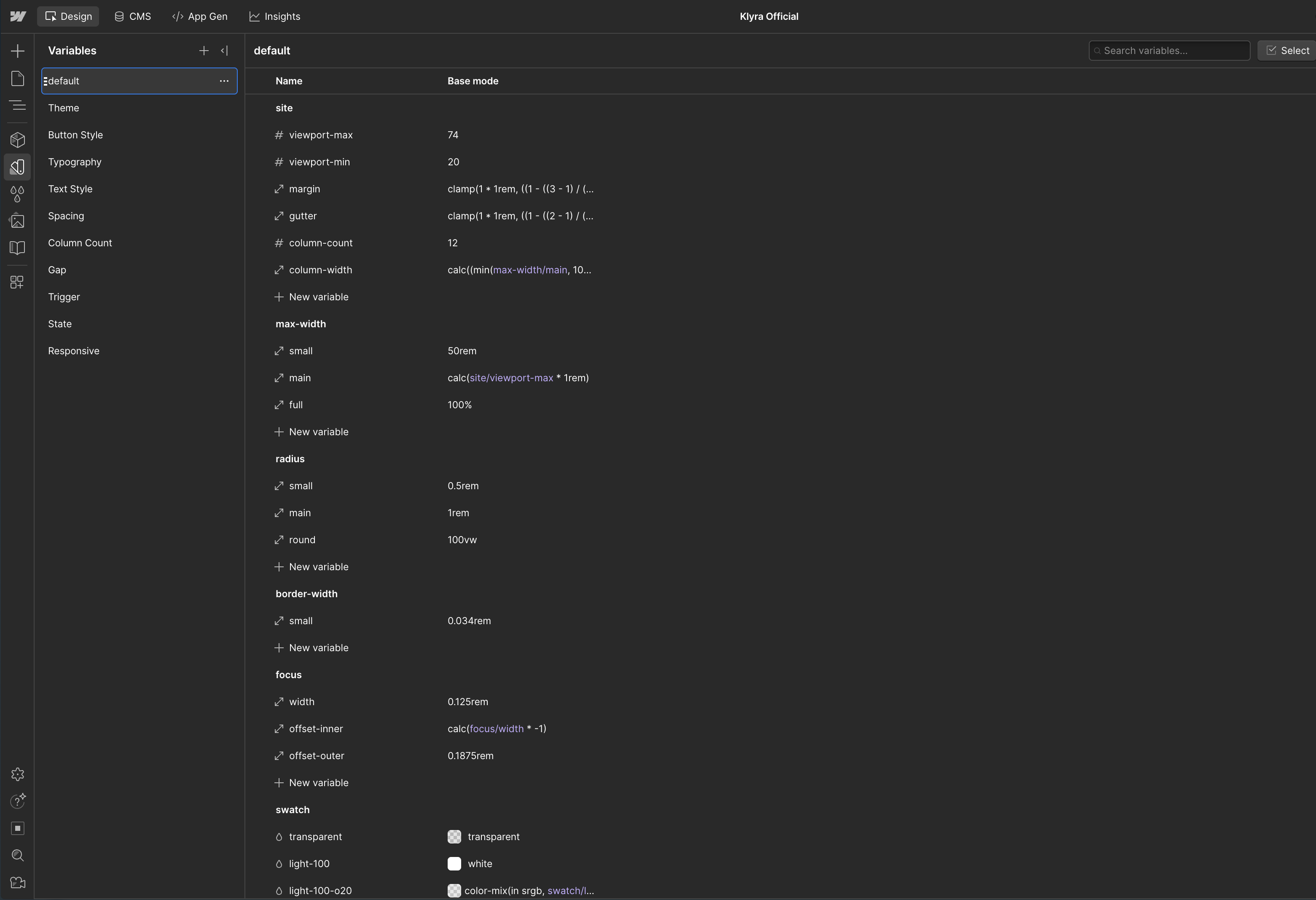
This structure centralizes your design decisions. Rather than editing styles element by element, you adjust a variable or a utility, and the change propagates everywhere. That's what makes Lumos more flexible and scalable than beginner-oriented frameworks.
The framework was first released by Timothy Ricks in July 2023 and has gone through major iterations since then, with the latest being Lumos V2.1. It's open source under the MIT license, with the full codebase available on GitHub. [INTERNAL LINK: Klyra Lumos category or related article]
How Does Lumos Handle Responsive Design?
Lumos handles responsive design through CSS variables and breakpoint-specific modes that keep layouts consistent from desktop to mobile, with minimal extra work on your part.
Here's what that looks like in practice. Layout utilities like U-Grid, flexbox helpers, and show/hide classes for different breakpoints let you switch from complex desktop grids to simpler stacked mobile layouts without piling on extra classes. Text and spacing are driven by breakpoint-specific CSS variables, so changing a font scale or a spacing token adapts entire sections at once. You can also control themes and density through Webflow's variable modes, adjusting things like padding, line-height, or color themes per mode instead of per element.
The result: responsive behavior is baked into the system, not patched manually per page. Several well-known Webflow agencies have dedicated entire training sessions to mastering responsive design with Lumos, which speaks to the depth of what the framework offers on this front.
Webflow's recent additions (variable modes with automatic responsive breakpoints, CSS functions like clamp(), min(), and max() in variable values) have only made this stronger. Lumos was one of the first frameworks to integrate these features shortly after Webflow released them. [INTERNAL LINK: Klyra responsive design service or blog post]
Why Do Agencies and Advanced Builders Choose Lumos?
Studios using Webflow in production increasingly pick Lumos for speed, code cleanliness, and long-term maintainability. Agencies like emd:digital have standardized on Lumos for all their builds, and multiple studios have published extensive comparisons explaining why they're exploring the switch from Client-First.
The reasons come up again and again across the community.
Lumos speeds up development because you're reusing a structured system of classes and components instead of reinventing patterns for each project. It keeps code clean and scalable, with consistent naming and structure that makes it easier to grow a site over time. It's responsive by default, so you don't retrofit mobile layouts after the fact. And it plays nicely with GSAP for high-end animations, letting you layer advanced scroll and interaction effects on top of a lightweight, well-structured base.
For studios handling multiple projects or large sites, this combination of performance, maintainability, and animation-friendly structure is a real competitive advantage. At Klyra, it's one of the reasons we can deliver complex builds faster while keeping code quality high. [INTERNAL LINK: Klyra portfolio or case studies]
Lumos vs Client-First: Which Webflow Framework Should You Pick?
Client-First is the friendliest starting point. Lumos is the better long-term fit for complex, high-end projects. Here's how they compare on the criteria that matter most.
Ease of use. Client-First wins for beginners. Its class names are explicit, readable, and the system is simpler to pick up. Lumos has a steeper learning curve and is more comfortable for developers already familiar with CSS utilities and variables. As one developer put it in a detailed comparison on Medium, Lumos relies heavily on custom embedded CSS blocks, which can be challenging if you don't have strong CSS experience.
Flexibility and power. Lumos comes out ahead thanks to its richer utility set and sophisticated use of variables and variable modes. This matters most for complex layouts, theming, and design systems. Several in-depth comparisons from the Webflow community note that Lumos integrated Variable Modes shortly after Webflow released them, while Client-First hasn't had a major update since January 2024.
Scalability and performance. Lumos's focus on utilities and variables helps avoid custom-class bloat and deeply nested divs. That makes big sites lighter and easier to update. Client-First is still fine for small to medium projects, but can grow heavy on large builds. Caleb Raney's framework comparison confirms that Client-First tends to generate more custom classes than Lumos or MAST builds, which adds up at scale.
Ecosystem and resources. Client-First currently has a larger ecosystem and more widely known documentation. Lumos is newer but growing quickly, with a V2.1 crash course, a dedicated Chrome extension rated 4.9/5, and even a custom GPT for answering framework questions.
Other frameworks worth knowing include MAST (which uses a 12-column layout system and Webflow native variables) and Saddle (which focuses on token-based naming and AI-friendly conventions). But for most professional studios, the real choice in 2026 is between Client-First and Lumos. [INTERNAL LINK: Klyra blog or framework-related article]
What Makes Lumos Stand Out: Key Features
Beyond the basics, Lumos offers features that no other Webflow framework provides in the same way.
Color modes. Lumos lets you create dynamic theming: dark/light modes, color changes based on scroll position or time of day. This is built into the variable system, so it doesn't require complex custom code. As Graceful Web Studio explains, the color system allows dynamic changes based on user interactions, which is perfect for adaptive theming.
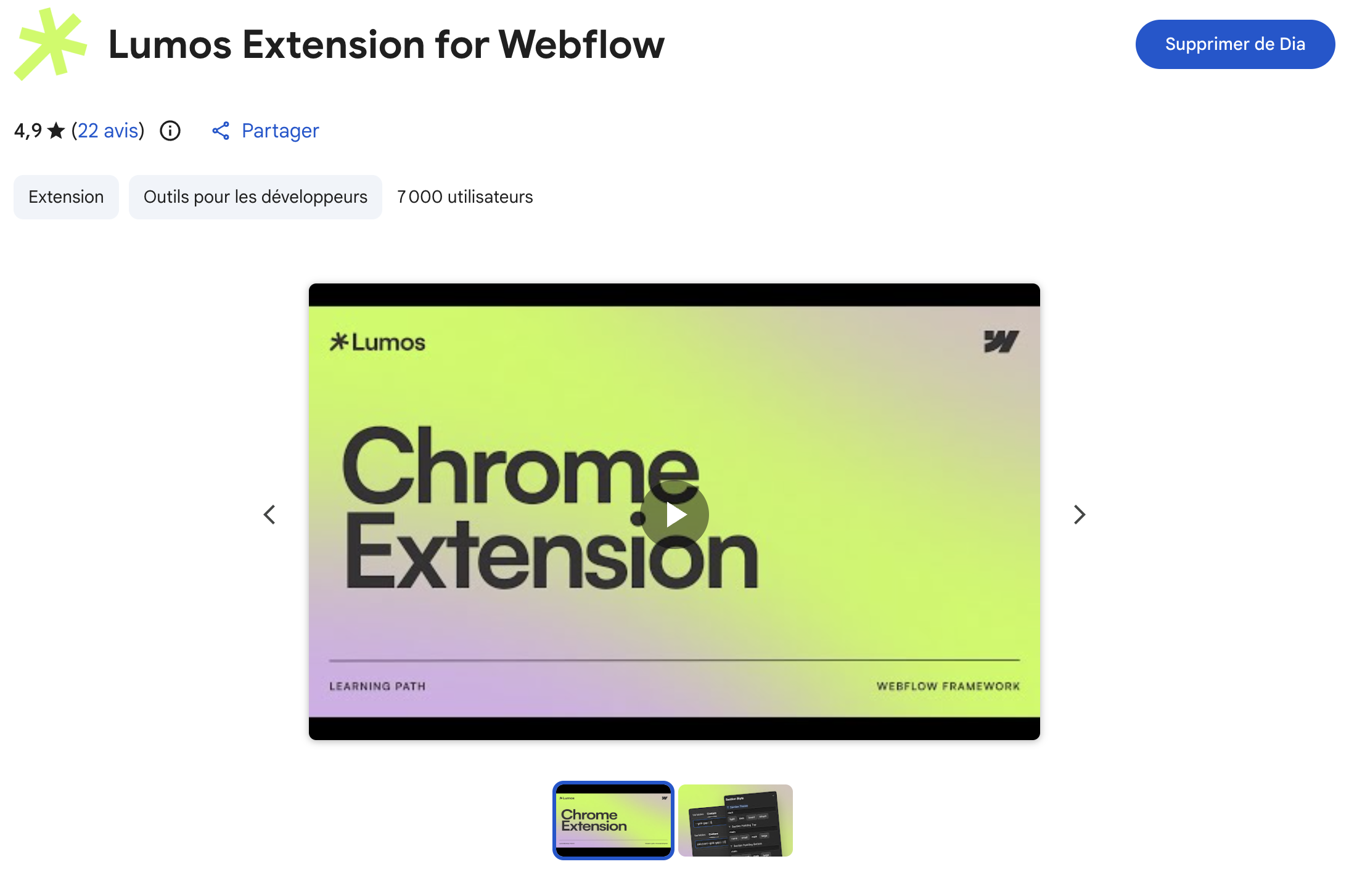
Chrome extension. The Lumos Chrome extension adds fast class naming, automatic unit conversions (px to rem), and dynamic style management directly in Webflow's Designer. It streamlines the workflow significantly and currently holds a 4.9/5 rating on the Chrome Web Store.
Component architecture. Elements start with a component class, and utilities are stacked on top. This approach enables extensive global edits and ensures consistency across the site, which is critical for larger builds. Timothy Ricks has published tutorials on creating modular component libraries that showcase this system in action.
Open source. Lumos is released under the MIT license on GitHub, which means you can inspect, modify, and contribute to the codebase. This is a major advantage over proprietary frameworks.
When Is Lumos the Right Choice for Your Next Webflow Project?
Lumos is the right choice when you need scalability, performance, and advanced design control. It's not for every project, and that's fine.
Choose Lumos if you're comfortable with CSS concepts (utilities, variables) and don't mind a steeper setup learning curve. If your project is large or expected to grow, with lots of pages, layouts, or design variations, Lumos will save you time in the long run. If you care about performance and want to keep CSS lean and structured, it's built for that. And if you plan to use sophisticated interactions (for example, with GSAP), Lumos gives you a clean baseline to build animations on.
If you're new to Webflow or handing a project to non-technical clients who might edit classes directly, a more descriptive framework like Client-First can be easier to manage. But if you're optimizing for the long game, Lumos is one of the strongest modern options in the Webflow ecosystem.
At Klyra, we've built our entire workflow around Lumos because it matches how we think about web development: structured, scalable, and built to last. If you're considering Lumos for your next project and want expert guidance, [let's talk](INTERNAL LINK: Klyra contact page).
Additional Sources
- Lumos V2.1 Crash Course (Timothy Ricks)
- Which Webflow framework? (Caleb Raney)
- Client-First vs Lumos vs Saddle (Saddle)
- Which Webflow Framework? (Graceful Web Studio)
- Lumos vs Client-First (Sam Comstock, Medium)
- Best Webflow Frameworks 2025 (HeyAyu)
- Webflow Variable Modes (Webflow)
- Variables in Webflow (Webflow Help Center)
- Lumos Chrome Extension (Chrome Web Store)
- Lumos GitHub Repository
FAQ's
Frequently Asked Questions
Lumos is a CSS framework created by Timothy Ricks specifically for Webflow. It uses utility classes, CSS variables, and variable modes to create a structured design system. Instead of relying on custom classes for every element, you use reusable utilities and global variables, which makes sites faster to build and easier to maintain. The project has been cloned over 23,000 times on Webflow.
Cela dépend de vos besoins. Si vous travaillez sur des projets de petite ou moyenne envergure et que votre équipe est à l'aise avec Client-First, il n'y a aucune raison urgente de changer. Mais si vous souhaitez passer à l'échelle supérieure, travailler sur des systèmes de conception complexes ou si vous souhaitez améliorer les performances sur de grands sites, l'investissement dans Lumos en vaut la peine. Il suffit de ne pas changer en cours de projet : comme l'ont noté plusieurs experts du cadre, le changement de framework nécessite de retravailler la structure de vos classes, ce qui peut prendre beaucoup de temps.
Yes, Lumos has a steeper learning curve. It requires a solid understanding of CSS concepts like utilities and variables, and it relies on custom embedded CSS blocks. Client-First is more beginner-friendly with its explicit, readable class names. However, once you're comfortable with Lumos, the payoff in speed and flexibility is significant, especially on complex projects.
Yes. Lumos is open source under the MIT license. You can clone the starter project on Webflow, access the documentation, and contribute to the codebase on GitHub. Timothy Ricks also offers additional resources and tutorials through his Patreon.
Absolutely. Lumos is designed to work well with GSAP. Because the framework keeps your HTML structure clean and your CSS lightweight, it provides an ideal foundation for layering advanced scroll effects, transitions, and interaction animations. Several agencies, including emd:digital, highlight this compatibility as a key reason they chose Lumos.
Make your website your best marketing asset